WorkBuddy
WorkBuddy is a desktop AI assistant that can help you work with files, organize information, and complete everyday tasks through conversation.
Open model settings
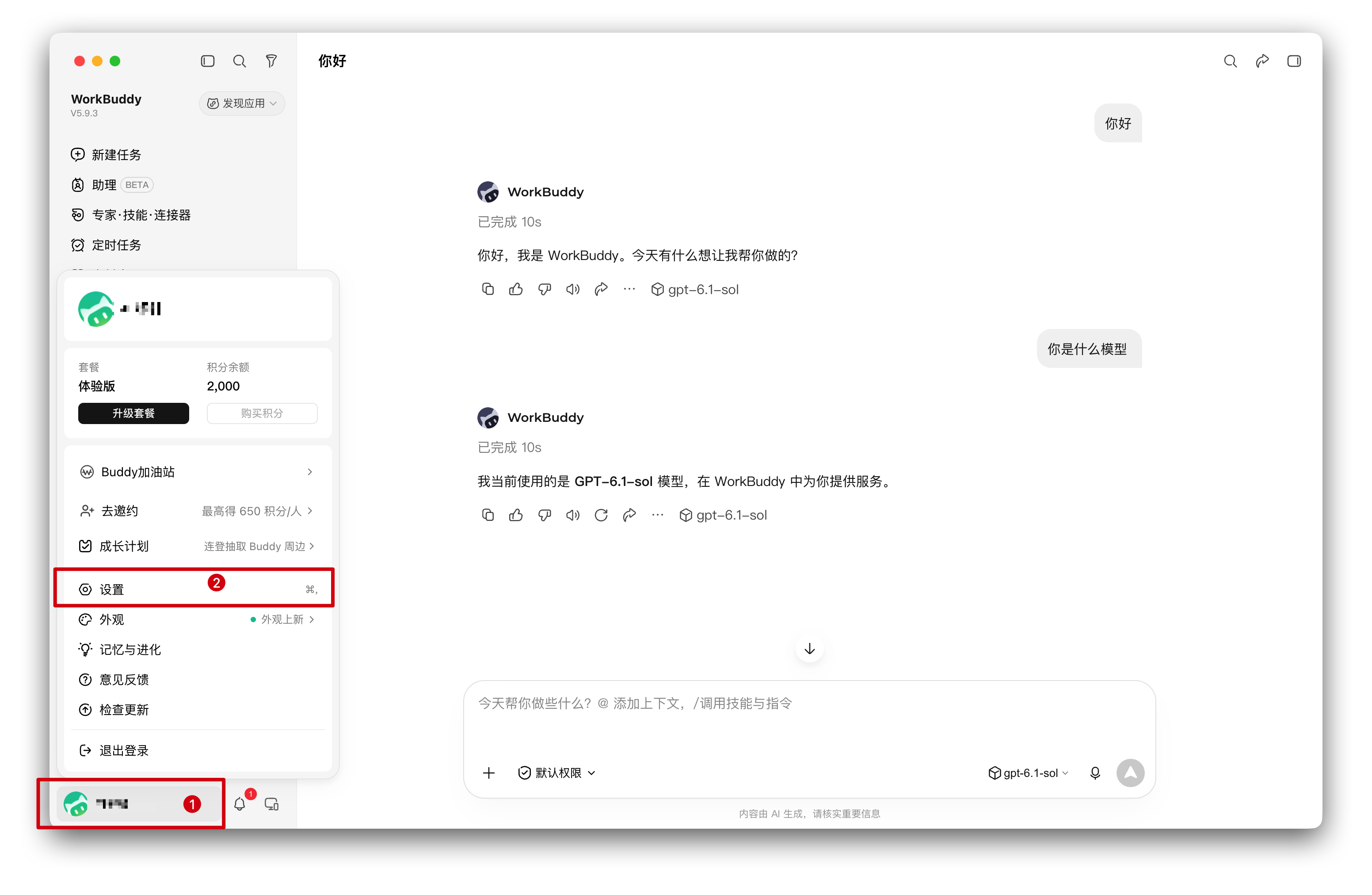
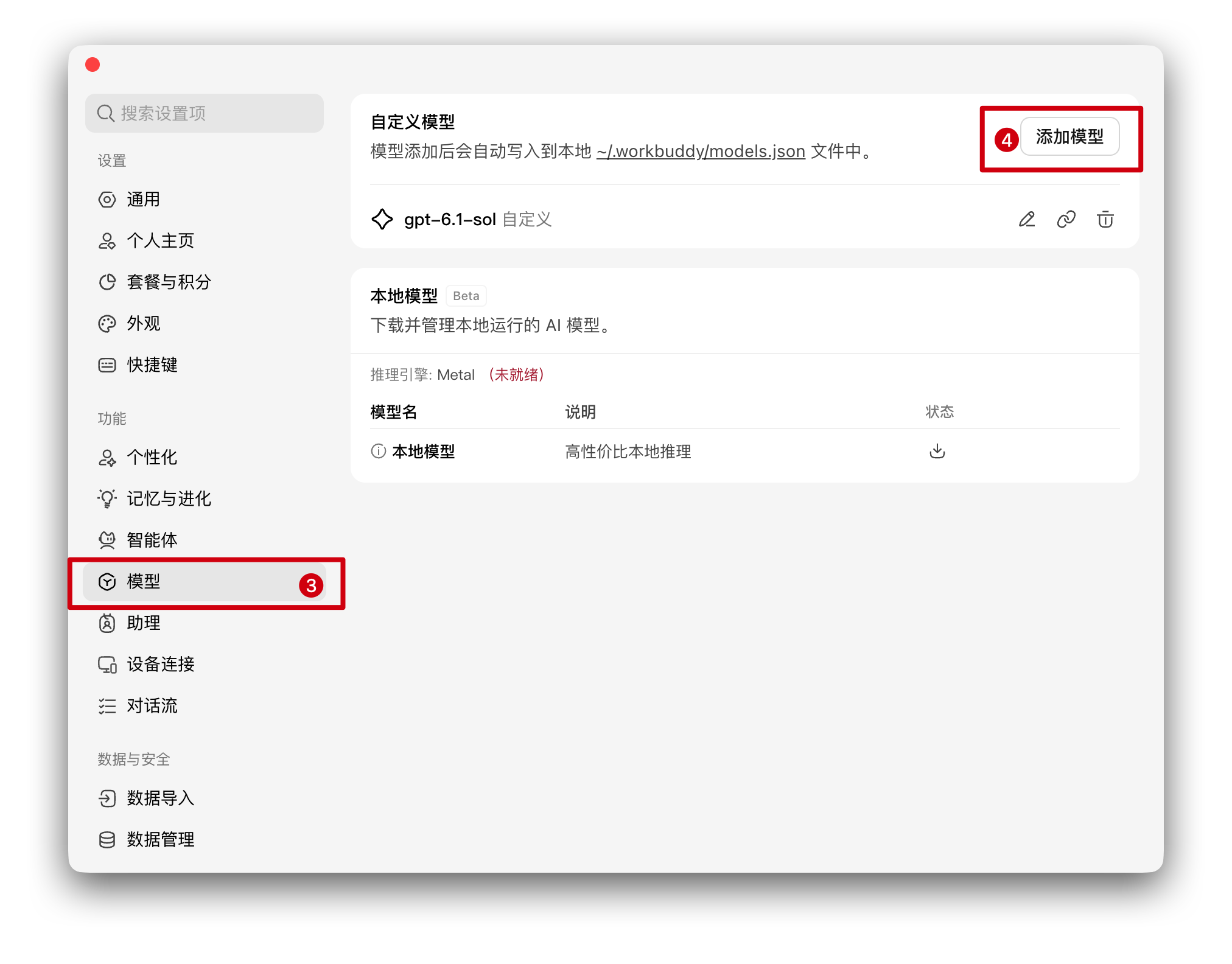
Open WorkBuddy and sign in. Select your profile in the lower-left corner, choose Settings, then select Model. The steps below use WorkBuddy 5.9.3 .
Add a custom model
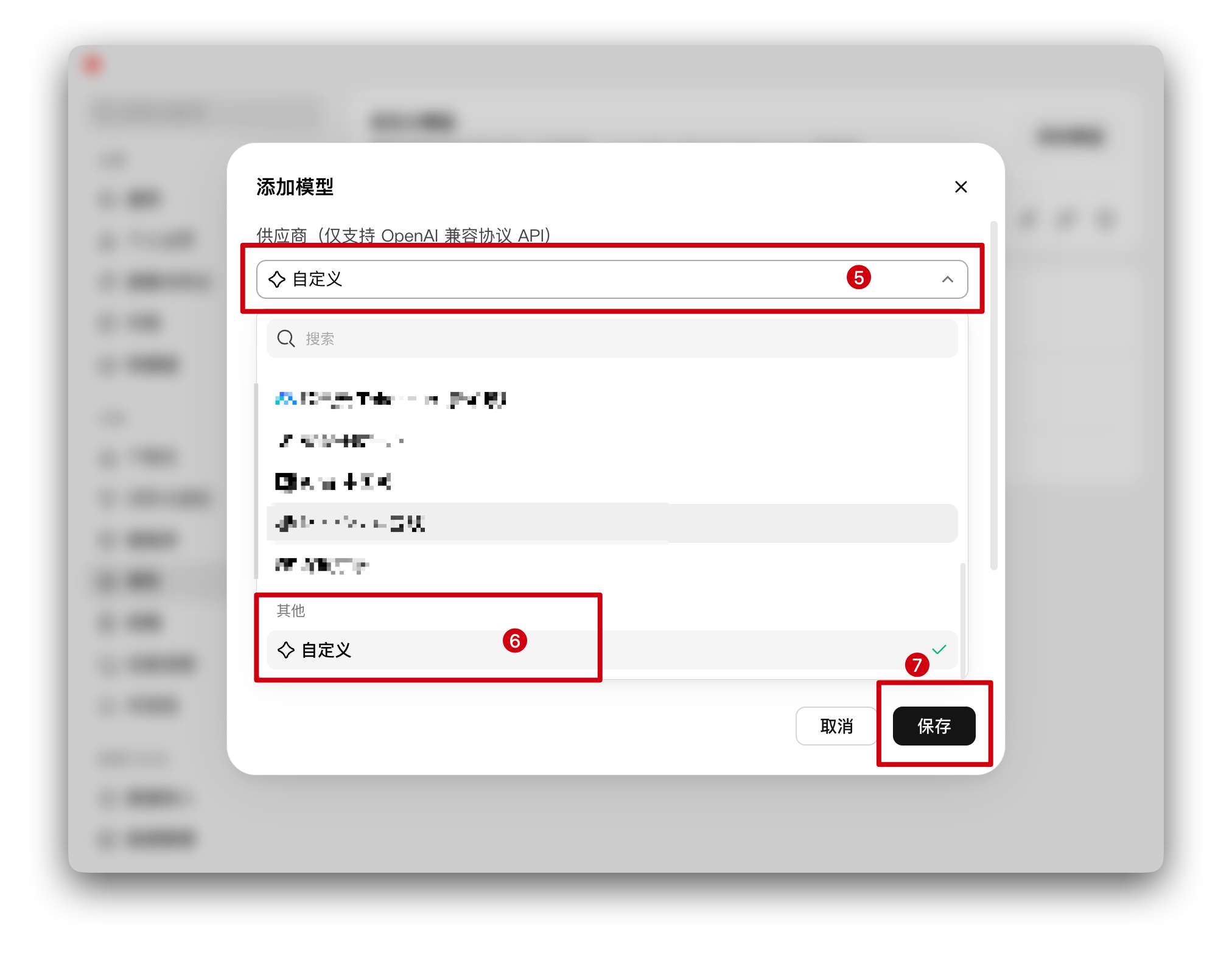
Under Custom models, select Add model. Open the provider list and choose Custom under Other.
Enter connection details
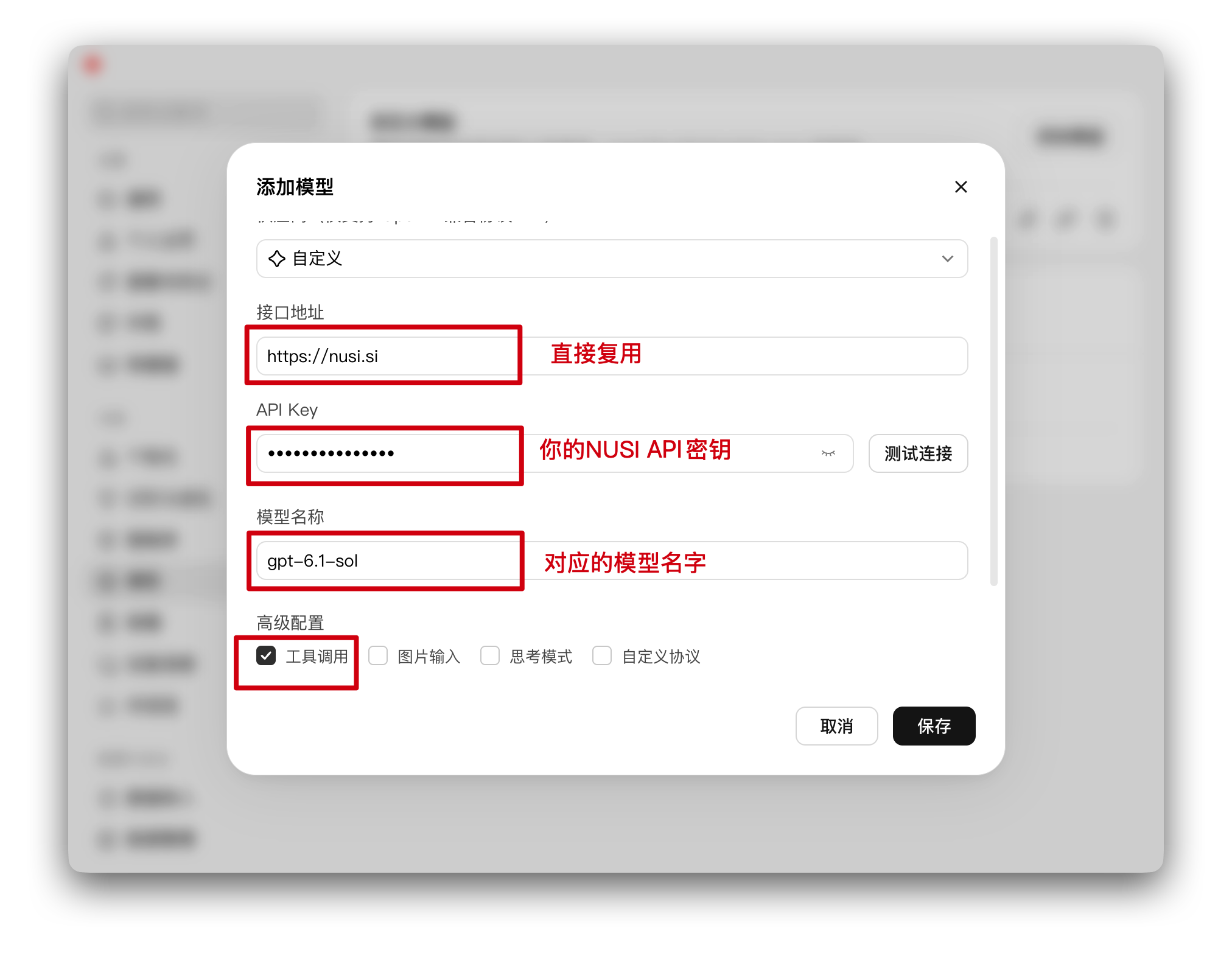
Enter the following in the Add model window:
- API endpoint:
https://nusi.si. Enter this address in WorkBuddy without adding/v1. - API Key: enter your NUSI API key. Create one on the API keys page.
- Model name: enter an available NUSI model ID, such as
gpt-6.1-sol. Check the model catalog for the current ID and availability.
To use tool calling with a model that supports it, enable Tool calling under Advanced settings. Enable other options according to the selected model’s capabilities. Select Save.
Verify the connection
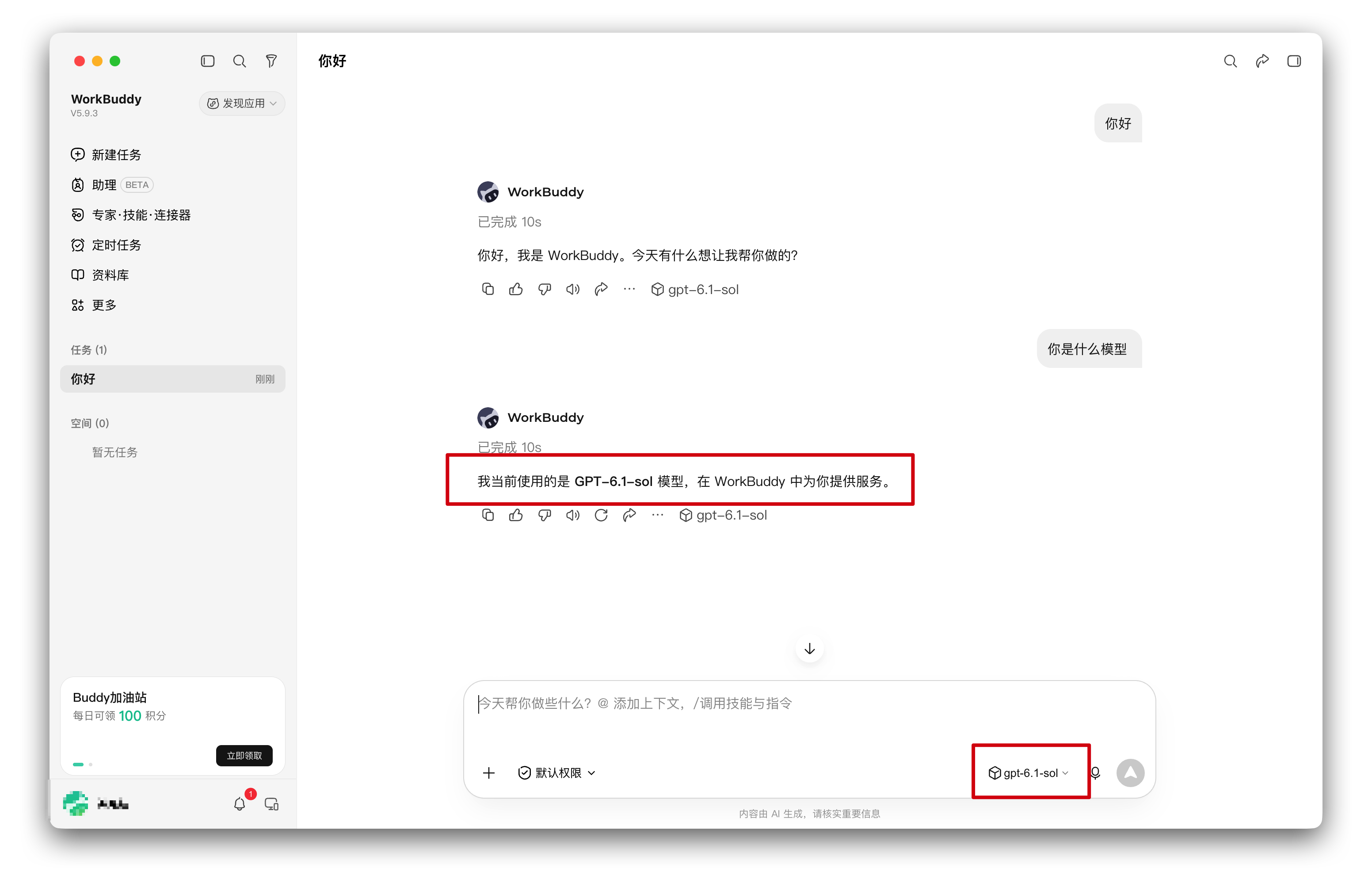
Return to the conversation, select the new model at the lower right of the message box, and send a message. After receiving a reply, check the model and request in Usage in the NUSI console.
Updated