OpenCode
OpenCode is an open-source coding agent for reading, writing, and editing project code through conversation. It supports multiple model providers for developers who want flexibility in their choice of models.
Option 1 (recommended): Use NUSI·ONE
- 1Download and install
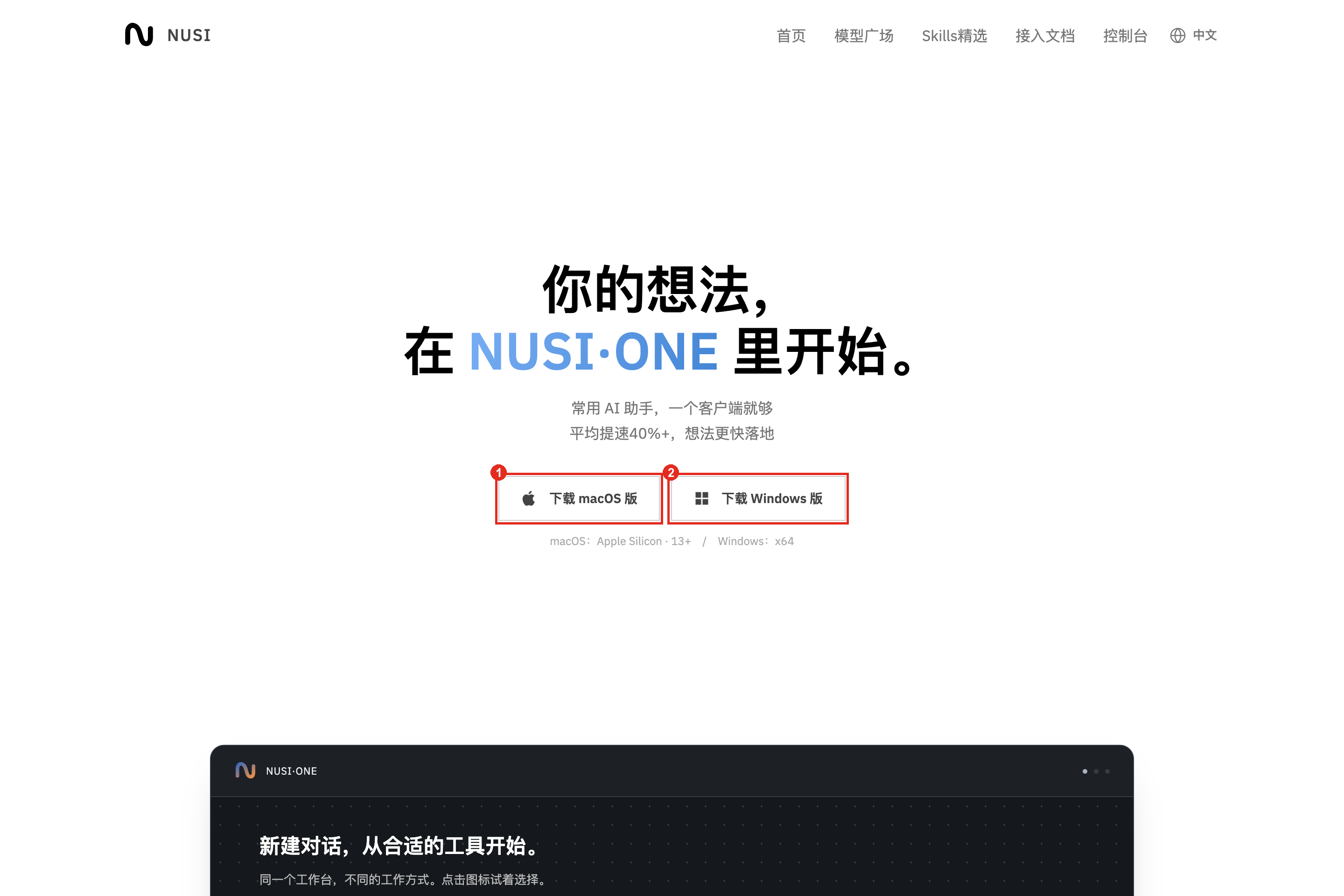
Install the client from the NUSI·ONE download page. Windows (x64) and macOS 14 or later on Apple silicon are supported.
- 2Sign in and select a key
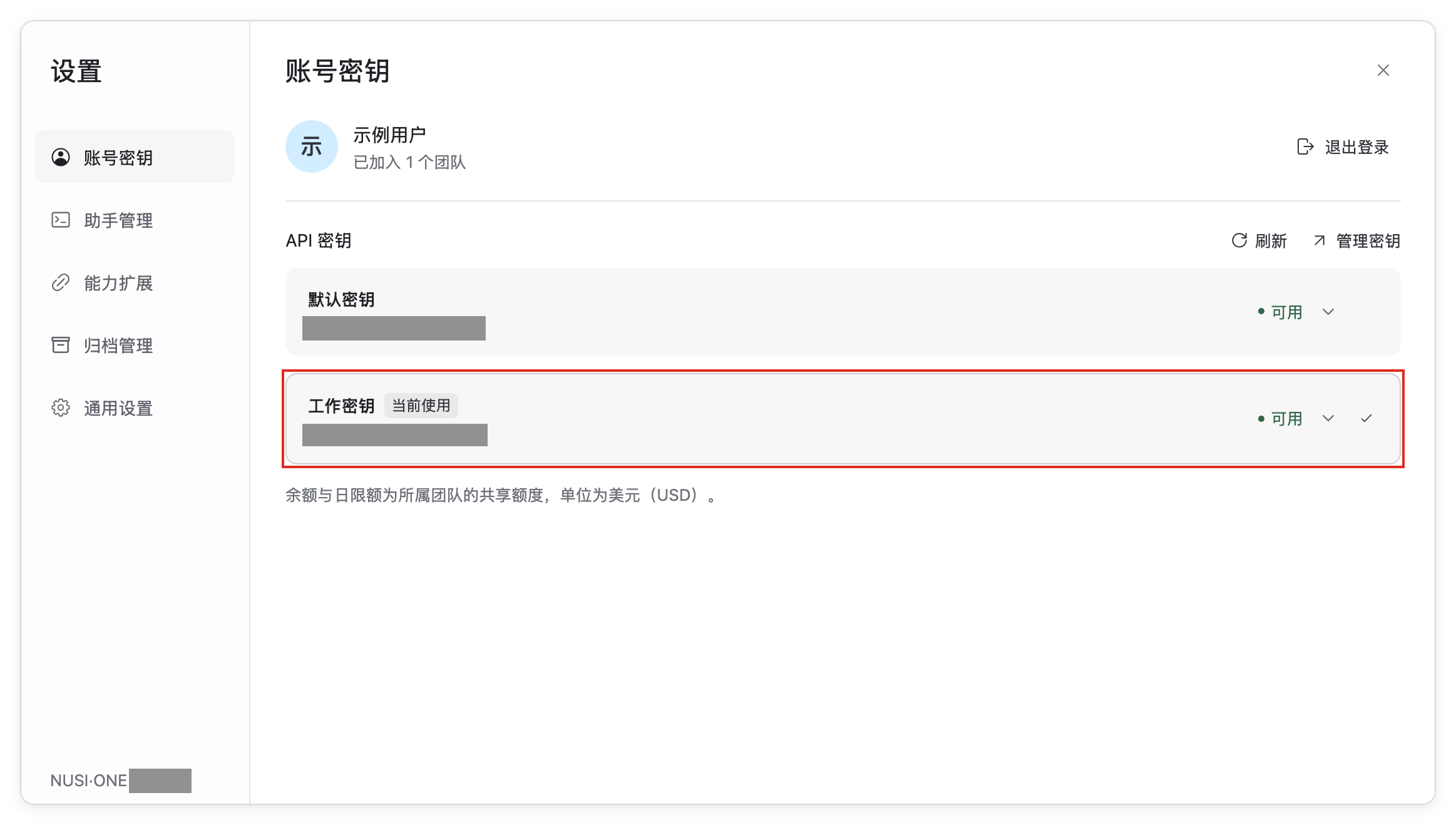
Sign in to your NUSI account and select an available API key you created from the account menu.
- 3Install OpenCode
Find OpenCode under Tool Installation in settings and follow the prompts.
- 4Open a project and start a conversation
Open a local project or folder, start a conversation with OpenCode, select an available model, and send a message.
Option 2: Install and configure OpenCode yourself
- 1Install OpenCode
Install Node.js LTS, then run in a terminal:
Terminal / PowerShellnpm install -g @opencode/cli opencode --version - 2Configure the connection
Create a key on the API keys page, select a model compatible with the protocol, and replace the placeholders. Shell examples use macOS or Linux; in Windows PowerShell use $env:NAME for environment variables.
Merge this into ~/.config/opencode/opencode.json. Set NUSI_API_KEY in the launching terminal and run opencode. The example uses Chat Completions; select a compatible model.
opencode.json{ "$schema": "https://opencode.ai/config.json", "model": "nusi/YOUR_MODEL_ID", "provider": { "nusi": { "npm": "@ai-sdk/openai-compatible", "name": "NUSI", "options": {"baseURL": "https://nusi.si/v1", "apiKey": "{env:NUSI_API_KEY}"}, "models": {"YOUR_MODEL_ID": {"name": "YOUR_MODEL_ID"}} } } }Choose your key on the API keys page and set the
NUSI_API_KEYenvironment variable in the terminal before starting the tool. - 3Open a project and verify
Open a test project and send a message, then check the console usage record. For a 401 or 403, check the key and permissions; if the model is unavailable, check its ID, protocol, and URL.